
1. MCP Protocol Overview: The Universal Tool Protocol for the AI Era
This paragraph demonstrates strong emphasis, em italics, b-tag bold, inline mcp-server code, keyboard shortcut Cmd+Shift+P, deprecated JSON-RPC 2.0 direct calls, and highlighted key conclusions. If you have already rented a Mac mini M4 node in the vmzig Console, you can follow this guide to deploy an isolated MCP Server immediately.
Model Context Protocol (MCP) was released by Anthropic in late 2024 to solve the N×M integration dilemma between AI Hosts (e.g., Cursor, Claude Desktop) and external tools. Previously, every Host-Tool pair required a custom integration; MCP collapses this into one standard protocol layer. By 2026, it has been widely adopted by OpenAI, Google, Microsoft, and other major ecosystems.
Architect's Note: The core value of MCP is not "yet another API standard." It standardizes three things: Tool Discovery, Invocation, and Context Injection. Running an MCP Server on an isolated remote Mac prevents contaminating your local development environment and credentials.
2. The Host-Client-Server Three-Layer Model
MCP Role Breakdown
Responsibilities of Each Role
| Role | Responsibility | Typical Products |
|---|---|---|
| MCP Host | AI app that initiates tool discovery and invocation | Cursor, Claude Desktop |
| MCP Client | Protocol adapter inside the Host, maintaining 1:1 connection with Server | Host built-in |
| MCP Server | Independent process exposing tools, resources, and prompts | filesystem, git, sqlite, etc. |
Principle of Least Privilege
Remote nodes should follow the principle of least privilege: each MCP project uses a dedicated Unix user, SSH keys are isolated per project, and logs are written to separate directories. Production environments must never run MCP Server as root.
Tool Checklist (ul)
- Use vmzig Mac mini M4 as an isolated sandbox (24 GB dedicated physical machine)
- Expose MCP port via SSH port forwarding — no direct external access
- Register the Server endpoint in
~/.cursor/mcp.json - Rotate SSH keys regularly (every 90 days recommended)
Deployment Steps (ol)
- Rent a Mac mini M4 node from the vmzig Console and obtain SSH credentials
- Create a dedicated user
mcp-isolated - Install Node.js LTS and MCP SDK (
npm install -g @modelcontextprotocol/sdk) - Write
server.tsdeclaring tool definitions - Start the Server and verify the tool list with
mcp-cli
3. Local vs. Remote Mac MCP Comparison
Scenario Comparison Table
| Dimension | Local MCP | Remote Mac MCP (vmzig M4) |
|---|---|---|
| Isolation | Low — shares main user account | High — dedicated Unix user |
| Compute ceiling | Limited by local machine load | M4 24 GB dedicated physical |
| Key security | Easily mixed with daily dev work | SSH keys isolated per project |
| Multi-agent parallelism | Severe resource contention | Multiple SSH sessions, no interference |
| Best use case | Rapid prototyping | Team compliance, production deployment |
4. Remote Deployment Practice: SSH Isolation Setup
Code Block: Create Isolated User
# Create an isolated user on the remote Mac and configure directory permissions
sudo sysadminctl -addUser mcp-isolated -password -
sudo mkdir -p /Users/mcp-isolated/mcp-workspace
sudo chown mcp-isolated:staff /Users/mcp-isolated/mcp-workspace
Code Block: Start MCP Server
// server.ts — using Filesystem MCP Server as an example
import { Server } from "@modelcontextprotocol/sdk/server/index.js";
import { StdioServerTransport } from "@modelcontextprotocol/sdk/server/stdio.js";

const server = new Server({ name: "vmzig-fs", version: "1.0.0" }, {
  capabilities: { tools: {} }
});

const transport = new StdioServerTransport();
await server.connect(transport);
Definition List (dl): Common Environment Variables
- MCP_HOST
- MCP Server listen address, default
127.0.0.1; keep localhost for remote deployment and forward via SSH - MCP_PORT
- Listen port, default
3000; customize per project to avoid conflicts - NODE_ENV
- Runtime environment; set to
productionin deployment to enable performance optimization - SSH_KEY_PATH
- SSH private key path; recommended location
~/.ssh/project-name_ed25519
Collapsible Block (details): SSH Port Forwarding Commands
Click to expand: Full SSH port forwarding command
Map the remote Mac's port 3000 to localhost for Cursor MCP Client connection:# Establish SSH tunnel (run in background)
ssh -N -f -L 3000:127.0.0.1:3000 \
-i ~/.ssh/vmzig_ed25519 \
mcp-isolated@your-vmzig-node.com
# Verify tunnel status
lsof -i :3000
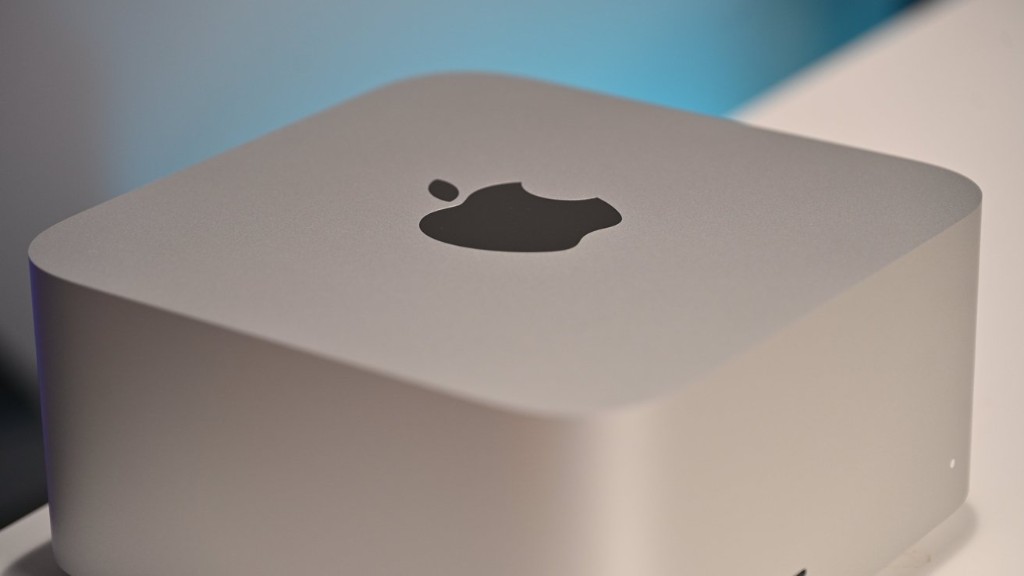
5. Image and Media Showcase
6. Blockquote and Divider Examples
Security Warning: Never expose your MCP Server directly to the public internet (e.g., by setting
MCP_HOST=0.0.0.0). SSH port forwarding is the safest remote access method — only users with the private key can establish a tunnel.
7. Nested Lists and Mixed Elements
After deployment, validate using this checklist — nested lists can mix code and emphasis:
- Network layer
- Port reachable:
curl http://localhost:3000/healthreturns{"status":"ok"} - Firewall rule: pressing Ctrl+C closes the port immediately
- Tool layer
- Tool list non-empty:
mcp-cli list-tools --server 3000 - Tool invocation succeeds: returns expected data format
Ordered acceptance steps:
- Start the MCP Server
- Establish the SSH tunnel
- Register the endpoint in Cursor's
mcp.json - Restart Cursor and confirm the tool appears in the toolbar
- Execute one real tool call and inspect the log output
Summary: This probe article intentionally covers all Prose bare tags required by BLOG_WRITER_CHECKLIST §1 — h2–h5, p, strong/b/em/a/code/kbd/del/mark, ul/ol/li/dl/dt/dd, pre/pre+code, table/thead/tbody/tr/th/td, blockquote, hr, img/figure/figcaption, details/summary — providing complete selector coverage for CSS acceptance testing. Running MCP Server on a vmzig M4 remote node delivers security and performance in production.
FAQ
Why must the probe article cover every Prose element?
Markdown renders bare HTML tags; CSS selectors must hit h2, table, kbd, and more directly, or future posts will ship without styles.
How do I isolate an MCP Server on a vmzig remote Mac?
Create a dedicated Unix user per MCP project and connect via SSH port forwarding to avoid sharing keys and file permissions with your main dev environment.
Further Reading
vmzig M4 remote nodes
Isolate MCP on a vmzig M4 Remote Node
Rent a Mac mini M4 by the day with SSH direct access, delivered in 24 hours